How do I create a VeraCrypt encrypted volume?
By uhwoapps on August 25, 2022
VeraCrypt is a third-party application to create encrypted virtual folders to store data securely.
- Click on Create Volume.

- Select Create an encrypted file container. Click Next.
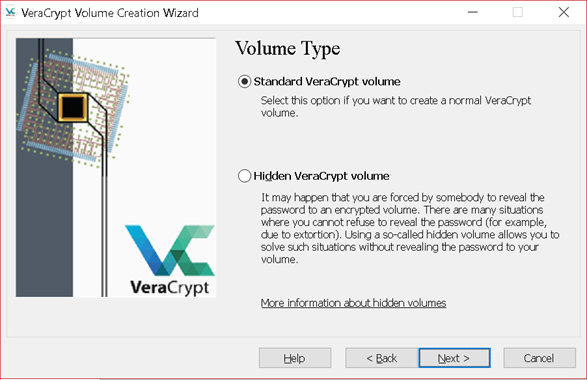
- Select Standard VeraCrypt Volume. Click Next.
- Browse to save the location in their personal network drive. Suggested naming scheme: <username>-VC. Click Save. Click Next.

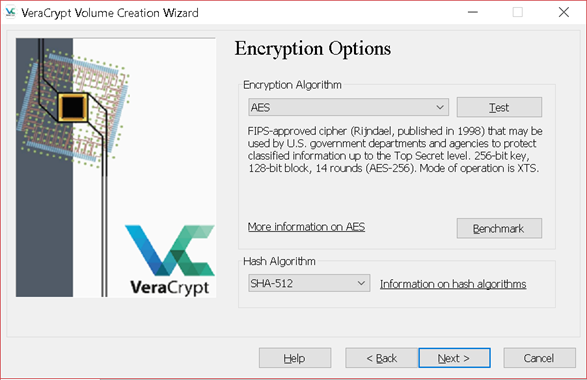
- Default settings. Encryption Algorithm: AES. Hash Algorithm: SHA-512. Click Next.
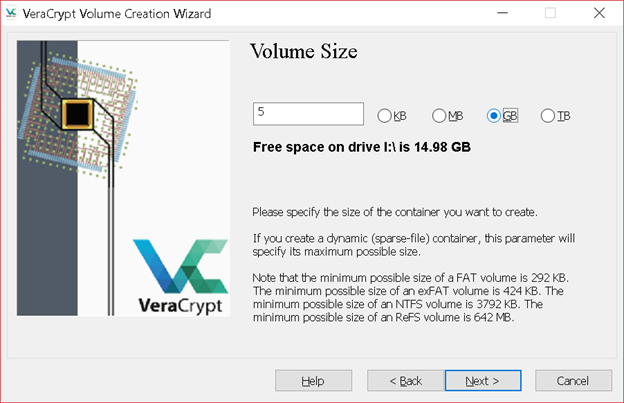
- Set Volume Size to 5 GB. Click Next.
- Create a password or passphrase. It will only be known by you. Click Next.

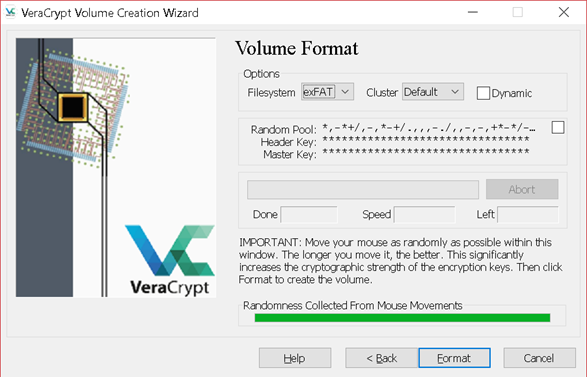
- Filesystem: exFAT. Move mouse over window until the bar is green. Click Format.
- Exit.
Extra Security: Container is only encrypted when not in use.
Check Auto-dismount volume after no data has been read/written to it for 30 minutes. Click OK.

Related article: How do I mount and dismount volumes using VeraCrypt?
Related Posts