Connect with students using Video Notes
Short, casual videos break up text-heavy pages and bring a welcome human touch to asynchronous courses. Don’t worry about minor speaking slips—an informal, conversational tone reminds students there is an authentic person behind the screen, which they often appreciate more than a polished lecture.
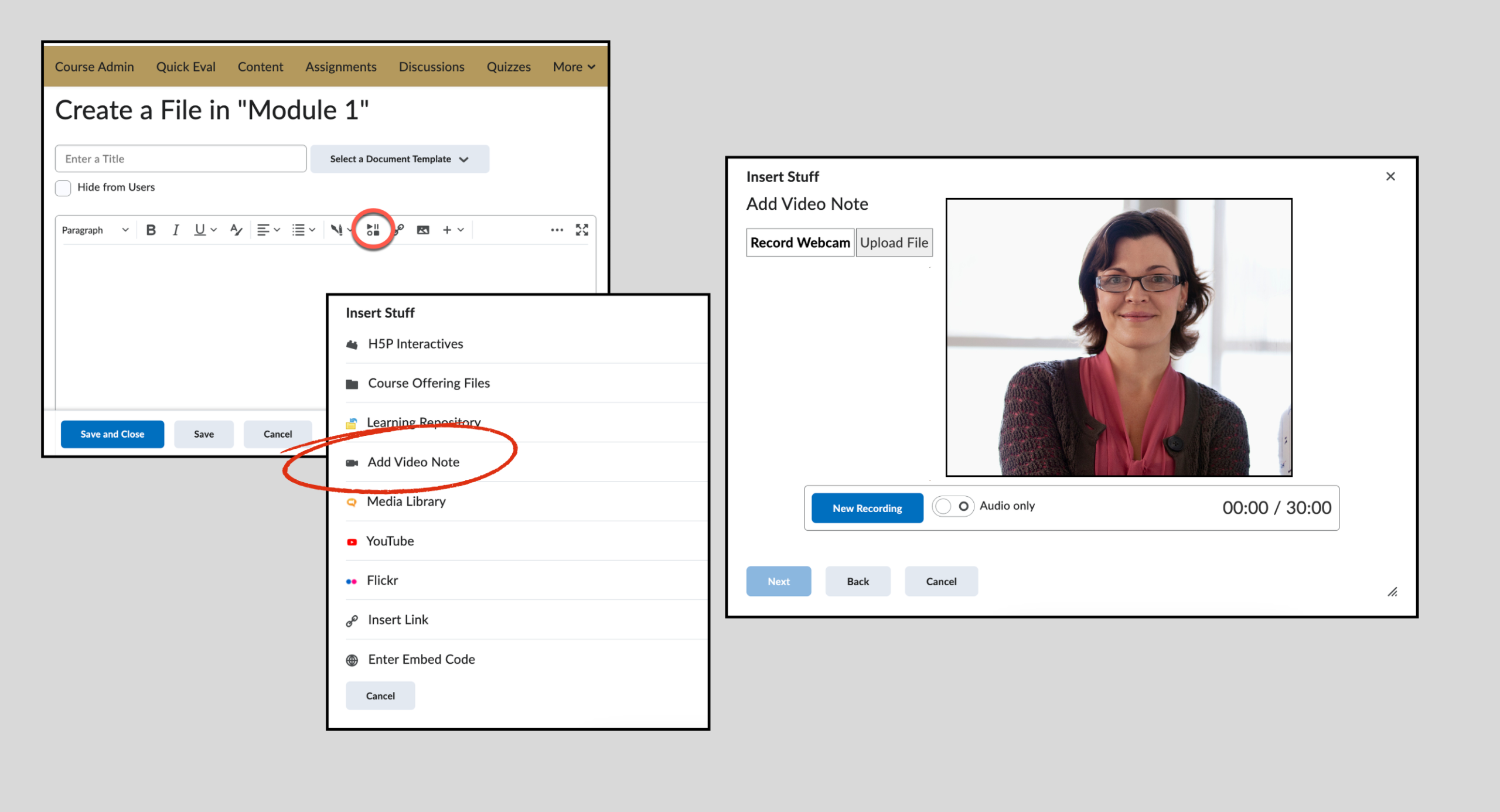
In Lamakū, use the built-in Video Note tool to record quick updates without needing third-party software. Found under Insert Stuff anywhere the HTML Editor is available—including Announcements, Discussions, Assignments, and Content pages—it records straight from your webcam and embeds playback directly into the page.
Before inserting your clip, you can also select your language to generate automatic closed captions. Because Video Note does not allow editing or trimming, it is the ideal tool to curb perfectionism, save time, and share frequent, low-fuss touchpoints with your students.
Need help or have feedback?
We’d love to hear what you have to say. Leave us a message so we can connect.